
Vault
The Vault is an encrypted store on your machine for the passwords, login sessions and tokens your tasks need, so they never end up in files or logs.
Your tasks sometimes need secrets: the password of a test account the video agent logs in with, a GitHub token to create a release, the Shortcut token a probe reads stories with. You do not want those in a YAML file, a prompt or a log. The Vault is where they go instead.
The Vault is an encrypted file on your machine. Flow files, prompts, events and logs only ever mention a secret by name; the value stays in the Vault and is handed to a step only at the moment it runs.
Store your first secret
Section titled “Store your first secret”Store a GitHub token with vault set. The value is read from stdin as JSON, never from a flag:
echo '{"value":"ghp_example"}' | astranize vault set --workspace notes --name GitHub --type integration_tokenastranize vault list --workspace notesvault list shows what is stored, but never the values. The id and dates below are illustrative:
{"type":"vault_secrets","secrets":[{"id":"s-3f9a1c2b7d10","name":"GitHub","type":"integration_token","workspace":"notes","createdAt":"2026-11-20T02:50:00.000Z","updatedAt":"2026-11-20T02:50:00.000Z"}]}Values come from stdin so they do not end up in your shell history or in the list of running processes.
Use the secret in a step
Section titled “Use the secret in a step”Steps refer to a secret by name, with vault:<name>. For example, a mission command that needs the token:
- id: count type: command run: "npm run count" env: { TOKEN: "vault:GitHub" }Right before the command runs, Astranize puts the real value in TOKEN. Every line of output is scanned on the way out, and the value is replaced by [segredo] before it reaches a log or an event.
Other parts of Astranize read secrets the same way:
- The video step reads the login session named in
video.sessioninconfig.yaml. import-shortcutand probes read the integration token namedShortcut.githubandslackactions taketoken: vault:<name>. A token written any other way is refused.
When a tool needs a secret as a file, Astranize writes it to a private folder under ~/.astranize/tmp/ (folder 0700, file 0600) and deletes it as soon as the command ends.
Kinds of secrets
Section titled “Kinds of secrets”Each secret has a type that says what it is for:
| Type | Used for |
|---|---|
test_account |
Accounts the video agent logs in with, and vault: env values. |
login_session |
A Playwright storage state, used by video.session in config.yaml. |
integration_token |
Tokens for Shortcut, GitHub, Slack and vault: env values. |
paired_client_token |
Tokens of clients paired through Fleet. |
To store a Playwright login session, use vault import-session. It reads the storage state file, stores it as a login_session, then deletes the file.
One workspace or all of them
Section titled “One workspace or all of them”A secret belongs to one workspace by default. Add --global to make it available to every workspace. When a step asks for a name and both exist, the workspace secret wins over the global one. Setting a secret with the same name and scope replaces it.
How the Vault is locked
Section titled “How the Vault is locked”Everything in the Vault is encrypted with a single random key. Where that key lives decides whether you ever type a password:
- System keystore (the default). The key is kept in macOS Keychain or Windows Credential Manager, under the service “Astranize Vault”. The Vault opens by itself, with no password.
- Master password. The key is protected by a password you choose, at least 12 characters. The Vault is locked every time the daemon starts, and you unlock it by typing the password. If you forget it, the secrets cannot be recovered.
Switch with vault use-password and vault use-keystore, or in the app under Settings, Vault key.
When the Vault is locked
Section titled “When the Vault is locked”With a master password, a step can need a secret while the Vault is still locked. The step does not fail. It pauses with a decision: “Vault locked: open Astranize on this machine and unlock the Vault. This step needs a secret stored there.” Unlock the Vault, then choose Try again and the step runs again. See Decisions.
If the Vault is open but the secret does not exist, the step blocks with reason secret_unavailable:<step>.
How you use it
Section titled “How you use it”Open Settings at the bottom of the left rail and pick Vault in the side menu.
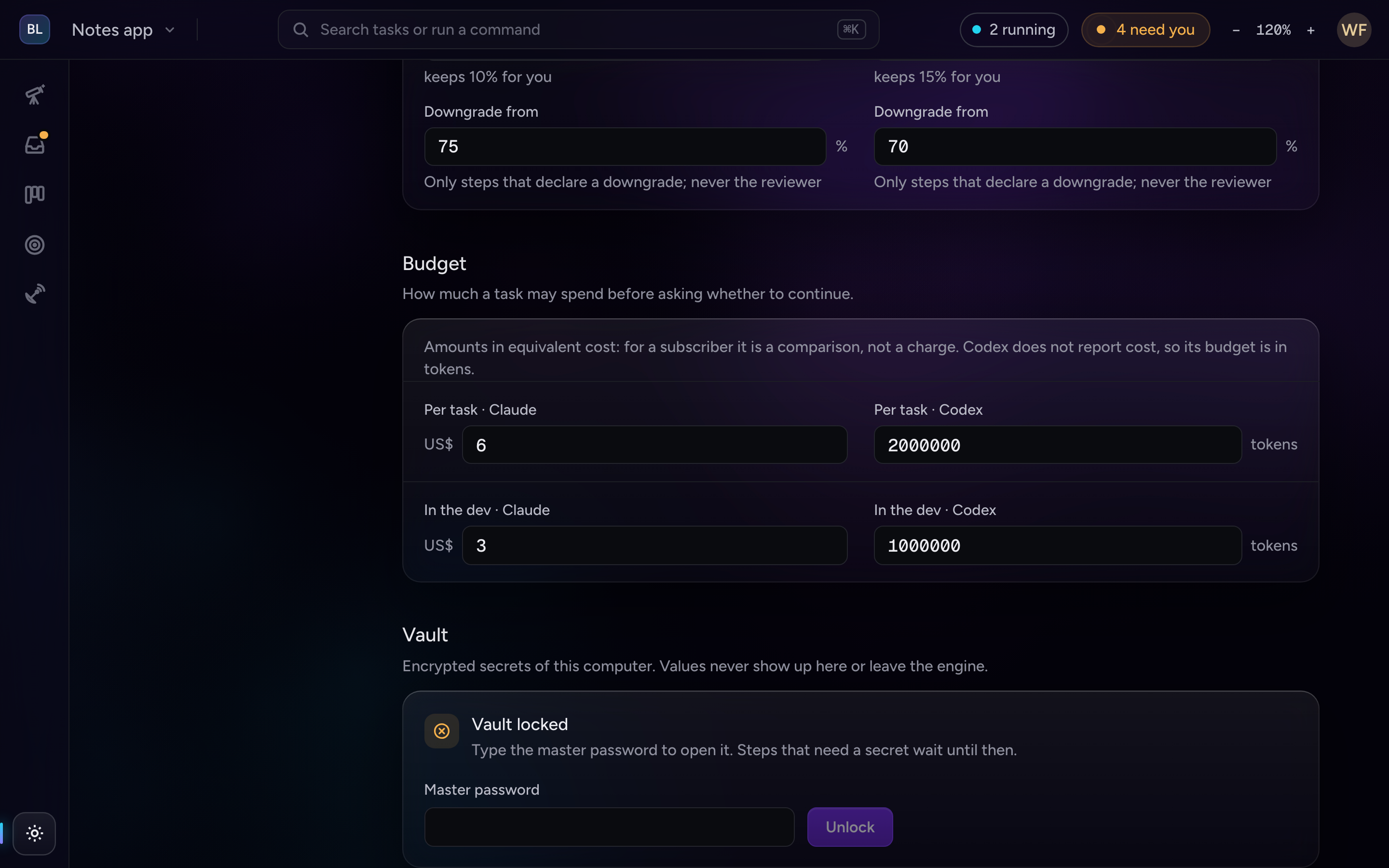
- A table lists each stored secret with its Name, Type, Applies to and Updated date, never its value. Each row has Replace and Delete.
- Add secret opens a form with Name, Type and Value, and a checkbox to apply it to all workspaces. The value field says: “Goes straight to the Vault. It never lands in a log, event or prompt.” Click Store to save it.
- Vault key shows where the key lives and switches between the system keystore and a master password.
- With a master password, Lock now locks the Vault. While it is locked, the section says Vault locked and asks for the master password, with an Unlock button.
| Command | What it does |
|---|---|
vault status |
exists, keySource and locked. |
vault list |
Names, types, scope and dates. Never values. |
vault set --name <n> --type <t> [--global] |
Stores {"value": "..."} from stdin. |
vault remove <id> |
Deletes a secret by its id (s-...). |
vault import-session --name <n> --file <state.json> [--global] |
Stores a Playwright storage state as a login_session, then deletes the file. |
vault unlock |
Unlocks with {"password": "..."} from stdin. |
vault lock |
Forgets the unlocked key. |
vault use-password |
Switches to a master password, {"newPassword": "..."} from stdin. Removes the key from the keystore. |
vault use-keystore |
Moves the key back to the system keystore. |
Every command takes --workspace, and --machine <name> to act on a connected machine’s Vault. Commands other than unlock also accept "password" in the same stdin object to unlock first.
Before anything is stored, vault status reports that there is no Vault yet:
astranize vault status --workspace notes{"type":"vault","exists":false,"keySource":null,"locked":false}Good to know
Section titled “Good to know”How it is built
Section titled “How it is built”- The file is
~/.astranize/vault. All secrets are sealed together with AES-256-GCM, using a random 256-bit data key. - With
keySource: keystore, the data key sits in the system keystore. WithkeySource: password, it is wrapped with a key derived from your master password by scrypt (N=2^17, r=8, p=1). - The daemon holds the Vault. Every CLI
vaultcommand goes through the daemon, so the key is unlocked in one process only. - Secrets are never written to task files, flow files, prompts, events or logs.
Errors you may see
Section titled “Errors you may see”--type must be one of: test_account, login_session, integration_token, paired_client_tokenvault set reads {"value": …} from stdinwrong master passwordthere is no vault to unlock yetthis vault is opened by the system keystore, not by a passwordmaster password needs at least 12 characters<file> is not a Playwright storage stateNext steps
Section titled “Next steps”- Decisions: what a locked Vault looks like
- Proof video: login sessions for the video agent
- Fleet: client tokens for paired machines
- CLI reference